Online Appointment
Sub-Registrar Office
Pay Stamp Duty First
Biometric at Office
What is IGRS AP Slot Booking?
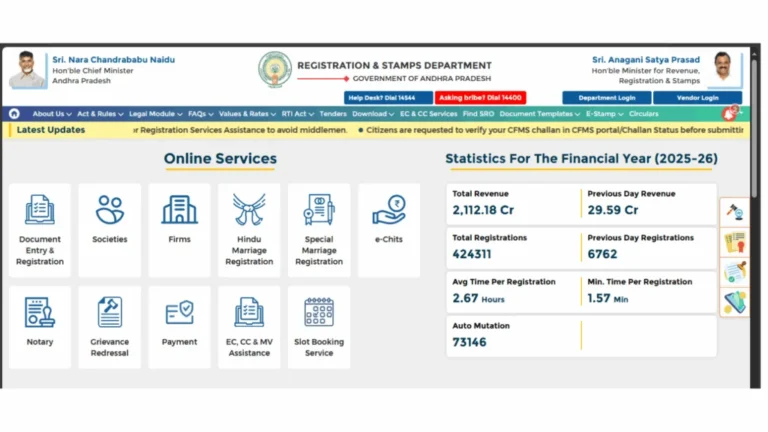
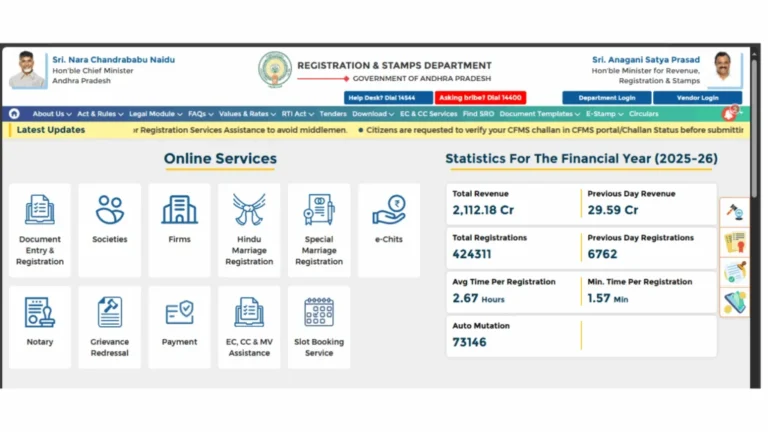
IGRS slot booking is the official online appointment system on the Andhra Pradesh Registration and Stamps portal at registration.ap.gov.in that allows property buyers and sellers to reserve a specific date and time at their chosen Sub-Registrar Office before visiting for property registration.
Before this system was introduced, citizens had to arrive at the Sub-Registrar Office early in the morning, wait in long queues, and often return the next day if the office capacity was full. The online slot booking system completely eliminates that uncertainty. You now know your exact appointment time before leaving home.
Slot booking is a mandatory step in the AP property registration process. You cannot register a property at the Sub-Registrar Office without a confirmed slot booking. It must be completed online through your registered IGRS AP citizen account before the appointment date.
Both the buyer and seller must be present at the Sub-Registrar Office on the booked date for biometric verification and document execution. The slot booking itself, however, only needs to be done once by either party through their login account.
What You Need Before Booking a Slot
Keep the following ready before starting the slot booking process:
- IGRS AP Login Account — A registered citizen account at registration.ap.gov.in is mandatory. Create your free account here.
- Stamp Duty Payment Challan — Stamp duty and registration fee must be paid online before slot booking. Without a valid challan number, slot booking cannot be completed. Pay stamp duty here.
- Property Details — Survey number, village, mandal, district, and the nature of the document (sale deed, gift deed, etc.).
- Party Details — Aadhaar numbers, names, and mobile numbers of both buyer and seller as they appear on official documents.
- Preferred Sub-Registrar Office — Know which SRO has jurisdiction over the property location. The slot must be booked at the correct SRO.
Important: Always pay stamp duty before booking a slot. The portal requires a valid challan reference to confirm a booking. If you book a slot and your stamp duty payment is pending, the registration will not proceed on the appointment day.
How to IGRS slot book Online Step by Step
Follow these steps to complete your IGRS AP slot booking at registration.ap.gov.in:
Login to Your IGRS AP Account
Open Chrome and go to registration.ap.gov.in. Click the Login button and enter your registered mobile number or email and password. Complete OTP verification. If you do not have an account, register first it takes under two minutes. See the full IGRS AP login guide.
Go to Slot Booking Section
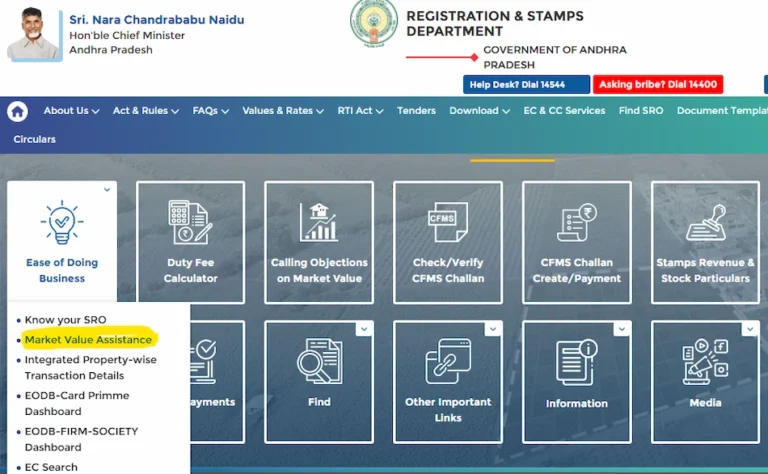
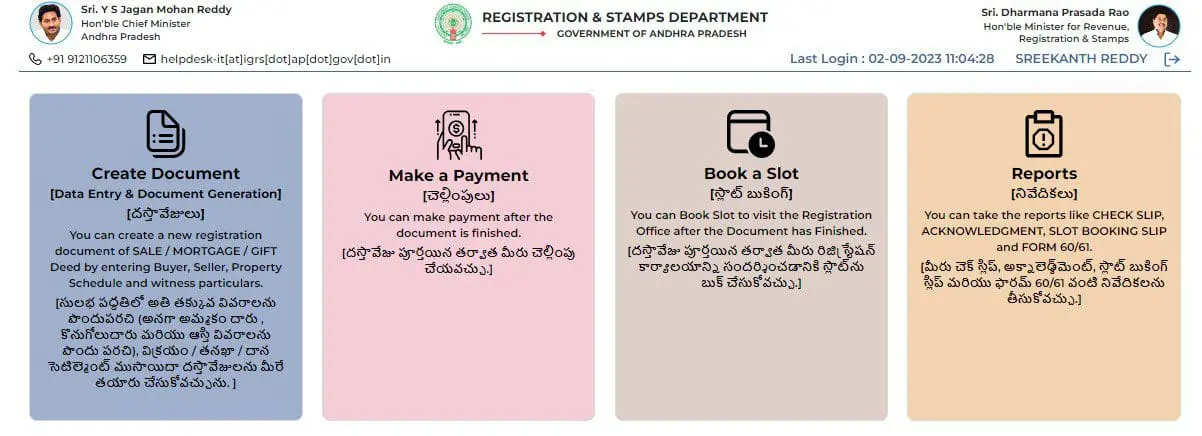
After login, go to your citizen dashboard. Look for the Slot Booking or Registration Appointment option in the services menu. Click on it to open the slot booking form.
Enter Property and Document Details
Fill in the property survey number, village, mandal, and district. Select the document type sale deed, gift deed, mortgage, lease, or other. Enter buyer and seller Aadhaar numbers and mobile numbers exactly as on official records. Double-check all entries before proceeding.
Enter Stamp Duty Challan Details
Enter your stamp duty challan number and payment reference. The system will verify the challan amount against the property value declared. If there is a mismatch the booking will not proceed verify the challan details carefully before this step.
Select Sub-Registrar Office, Date and Time
Select the Sub-Registrar Office that has jurisdiction over your property location. Available dates and time slots will appear on a calendar. Green slots are available, grey slots are filled. Choose a date and time convenient for both buyer and seller and click Confirm.
Download Your Booking Confirmation
After confirmation, the portal generates a slot booking acknowledgement with a unique booking reference number. Download and save this immediately. Carry a printed copy to the Sub-Registrar Office on your appointment day it is required for entry and biometric verification.
What to Carry on Your Slot Booking Appointment Day
Having all documents ready on the appointment day avoids delays and rejection at the Sub-Registrar Office:
- Slot Booking Acknowledgement — Printed copy with your booking reference number.
- Original Aadhaar Cards — Of all parties named in the document buyer, seller, and witnesses.
- Original Registered Document — The fully prepared sale deed or relevant document drafted by your document writer.
- Stamp Duty Challan — Original printed challan showing stamp duty and registration fee paid.
- Encumbrance Certificate — Recent EC for the property being registered. Get EC online here.
- Passport Size Photographs — Two recent photographs of each party involved in the transaction.
How to Reschedule or Cancel IGRS AP Slot Booking
Plans can change after booking. Here is how to manage your existing appointment:
Log in to your IGRS AP account and go to your active bookings section. Select the booking you want to reschedule and click the Reschedule option. Choose a new available date and time slot and confirm. A revised acknowledgement will be generated download and save it. Rescheduling is only possible before the original appointment date.
Log in and go to your bookings. Select the booking and click Cancel. Once cancelled, the slot is released and can be booked again if the transaction goes ahead. Note that stamp duty paid is not automatically refunded on cancellation contact the IGRS AP helpdesk at 0855-4556300 for payment-related queries after cancellation.
Note: If you miss your appointment without cancelling or rescheduling, the slot is forfeited. You will need to book a new slot. Repeated no-shows may affect future booking access on the portal.
Common IGRS Slot Booking Problems and Solutions
Log in early morning between 8 AM and 9 AM when new slots are typically released. Urban SROs in Visakhapatnam, Vijayawada, and Guntur fill quickly. Check 2 to 3 weeks in advance for these areas. You can also check nearby SROs within the same district if the property jurisdiction allows it.
Wait at least 2 hours after stamp duty payment before attempting slot booking. Bank payment data takes time to sync with the portal. If verification still fails after 24 hours, contact the IGRS AP helpdesk at 0855-4556300 with your transaction reference number and challan details.
The name and Aadhaar number entered during slot booking must exactly match the details on the registered Aadhaar card. Even a minor spelling difference causes a mismatch. Verify party details carefully before entering. If the name on the sale deed differs from the Aadhaar name, consult your document writer before proceeding.
After completing the booking steps, do not close the page immediately. Wait for the confirmation screen to fully load and then download the acknowledgement PDF. If the page timed out before confirmation, log back in and check your active bookings the booking may have been saved successfully even if you did not see the confirmation screen.
The IGRS AP portal is busiest on Monday mornings and after public holidays. Try accessing it on Tuesday to Thursday mornings for the best performance. Always use Chrome on desktop. Clear cache and disable extensions before attempting slot booking to avoid session errors mid-form.
📚 Related Guides You May Find Helpful
- IGRS AP Login 2026 — Create your free citizen account at registration.ap.gov.in to access slot booking and all login-required services.
- IGRS AP Stamp Duty 2026 — Pay stamp duty and registration fee online before booking your slot.
- IGRS AP Registration 2026 — Complete guide to the full property registration process in Andhra Pradesh.
- IGRS AP Market Value 2026 — Check government land value before calculating stamp duty for your property.
- EC Online AP 2026 — Search the Encumbrance Certificate for your property before registration.
Frequently Asked Questions
Summary
IGRS AP slot booking at registration.ap.gov.in is a mandatory step for property registration in Andhra Pradesh. Before booking, ensure your stamp duty is paid and your IGRS AP login account is active. The process involves logging in, entering property and party details, linking your challan, selecting an available slot at your jurisdiction SRO, and downloading the confirmation. Carry the acknowledgement along with all original documents on the appointment day. Both buyer and seller must be present for biometric verification. For any booking issues, the IGRS AP helpdesk at 0855-4556300 is available Monday to Saturday during office hours.