Vendor-Only Access
Document Writing
Client Registration
Official AP Portal
What is IGRS Vendor Login AP?
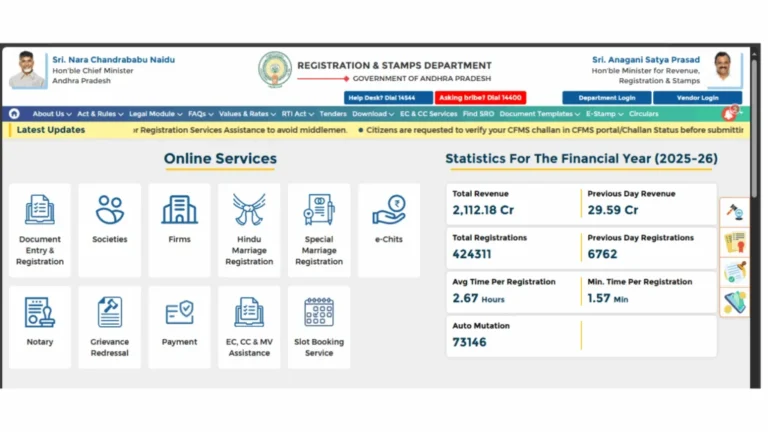
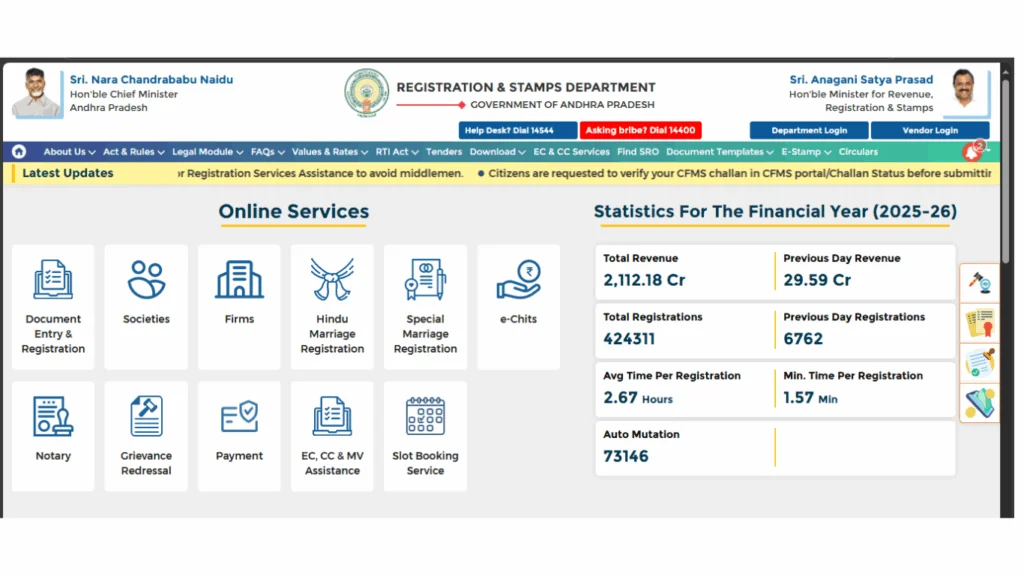
The IGRS vendor login is a separate login module on the official Andhra Pradesh Registration and Stamps portal at registration.ap.gov.in built exclusively for licensed document writers and registered service providers. It is entirely different from the citizen login used by regular property buyers and sellers.
In Andhra Pradesh, document writers locally known as scribes or writers are licensed professionals empanelled with the Registration and Stamps Department. They help citizens prepare legally compliant property documents such as sale deeds, gift deeds, mortgages, and lease agreements before presenting them at the sub-registrar office.
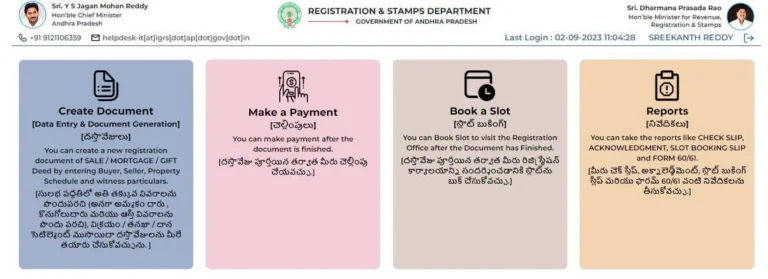
Through the IGRS AP vendor login, these registered vendors can prepare documents online, upload them to the portal ahead of registration appointments, and track client document status all from a single vendor dashboard. This system reduces manual workload at sub-registrar offices and speeds up the overall registration process.
Vendor login is not open to the general public. Only vendors who are officially licensed and assigned a Vendor ID by the AP Registration Department can access this section of the portal.
Who Can Use the IGRS AP Vendor Login?
The following categories of service providers are eligible to register and access the IGRS vendor login:
Scribes licensed by the AP Registration and Stamps Department to prepare sale deeds, gift deeds, mortgages, and other property documents. They must be empanelled with a specific Sub-Registrar Office to qualify.
Registered advocates who are also empanelled as document writers with the Registration Department. They assist clients in both legal documentation and property registration procedures.
Other service providers formally authorized by the AP Registration and Stamps Department to facilitate property registration, document submissions, or certified copy applications on behalf of citizens.
Important: Regular citizens, property buyers, and sellers cannot use vendor login. If you are a citizen, use the standard IGRS AP citizen login to access slot booking, EC download, and other public services.
Documents Required for IGRS Vendor Registration
Before accessing the IGRS vendor login, you must first register as a vendor with the AP Registration and Stamps Department. The following documents are typically required:
- Aadhaar Card — Valid Aadhaar for identity verification during empanelment.
- PAN Card — PAN card copy for department records and tax identification.
- Educational Qualification Certificate — Proof of minimum qualification as required by the department, typically SSLC or higher.
- Address Proof — Voter ID, ration card, or utility bill confirming residence within the jurisdiction of your intended Sub-Registrar Office.
- Passport Size Photographs — Recent photographs of the applicant.
- License Certificate — Valid document writer license issued by the AP Registration and Stamps Department, where applicable.
- Active Mobile Number and Email — For OTP verification and portal login credential communication.
Note: Document requirements may vary by Sub-Registrar Office and vendor category. Contact your local office to confirm the exact list before visiting.
How to Get Registered as a Vendor on IGRS AP
Vendor registration involves both an offline application and an online portal activation. Here is the complete process:
Visit Your Sub-Registrar Office
Visit the Sub-Registrar Office in the jurisdiction where you plan to operate as a vendor. Request the vendor empanelment form or application for document writer registration from the office staff.
Submit Documents for Verification
Submit your completed application along with all required documents. The Sub-Registrar Office will verify your eligibility, qualifications, and document authenticity before processing your application.
Receive Your Vendor ID
After approval, the department assigns you a unique Vendor ID along with initial login credentials sent to your registered mobile number or email. This Vendor ID is your permanent identifier on the IGRS AP portal keep it safe.
Activate Your Account Online
Go to registration.ap.gov.in, open the Vendor Login section, and use the issued credentials to activate your account. Set a new password, complete OTP verification, and your vendor dashboard will be ready to use.
How to Do IGRS Vendor Login at registration.ap.gov.in
Once you have your Vendor ID and password, follow these steps each time you need to log in:
Open the Official IGRS AP Portal
Open Chrome browser on your desktop and go to registration.ap.gov.in. Always type the URL directly. Do not use links from WhatsApp forwards, unknown emails, or unofficial websites to avoid phishing pages.
Click on Vendor Login
On the homepage, locate the Vendor Login or Service Provider Login option. It is typically found in the login dropdown or as a separate tab next to the citizen login section. Click on it to open the vendor-specific login page.
Enter Your Vendor ID and Password
Enter your Vendor ID in the first field and your password in the password field. The Vendor ID is the unique number assigned during registration at the Sub-Registrar Office. Passwords are case-sensitive so enter carefully without extra spaces.
Verify with OTP
An OTP will be sent to the mobile number registered during vendor enrollment. Enter this OTP in the verification box and click Submit. OTPs are valid for a few minutes only. If no OTP arrives, wait 60 seconds and click Resend.
Access Your Vendor Dashboard
After successful verification you will be directed to your vendor dashboard. From here you can prepare client documents, manage appointment slots, upload documents for review, and track registration status all from one place.
Services Available After IGRS Vendor Login
Once logged in, registered vendors can access these services through the IGRS AP vendor dashboard:
Prepare property documents sale deeds, gift deeds, mortgage deeds, lease agreements, and partition deeds using structured templates that comply with the AP Registration Department formatting standards. This eliminates manual drafting errors.
Book registration appointments at the sub-registrar office on behalf of multiple clients from a single vendor dashboard. Manage all client slots without having to log in and out separately for each. See the full IGRS AP registration guide for slot booking details.
Upload prepared documents to the portal before the registration appointment. Pre-submission allows digital review of the document by the office, reduces waiting time at the sub-registrar office on the appointment day, and flags errors before the physical visit.
Track the processing and completion status of submitted documents on behalf of clients. Receive status updates — approved, registered, or requires correction without making separate calls or visits to the sub-registrar office.
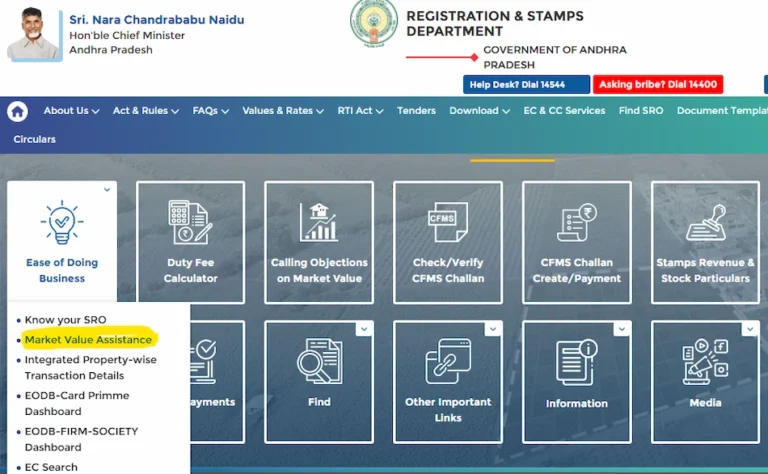
Access government market value data and stamp duty rate information to prepare accurate cost estimates for clients before document preparation begins. This prevents duty miscalculations that can delay or invalidate a registration. Full stamp duty guide here.
Common IGRS Vendor Login Issues and How to Fix Them
Verify that you are entering the Vendor ID exactly as issued no spaces, no extra characters. If the issue persists, contact your Sub-Registrar Office to confirm that your vendor account has been fully activated on the portal system.
Check that the mobile number registered during vendor enrollment is active and has network signal. Click Resend OTP after 60 seconds. If OTPs consistently fail to arrive, contact the IGRS AP helpdesk at 0855-4556300 to update your registered mobile number.
Click Forgot Password on the vendor login page. Enter your Vendor ID and registered mobile number to receive a reset OTP. If the self-service reset fails, visit your Sub-Registrar Office with a valid government ID for manual password reset assistance.
Accounts may be suspended if your license has expired, if compliance documents are pending, or if the account has been inactive for a long period. Visit your Sub-Registrar Office to reactivate the account and renew your license before attempting to log in again.
Clear browser cache and cookies and retry using Chrome on desktop. Disable extensions that may interfere with portal functions. If the error persists after multiple attempts, the portal may be under scheduled maintenance try again after 2 to 3 hours during regular working hours.
📚 Related Guides You May Find Helpful
- IGRS AP Login 2026 — Step-by-step guide to creating and using a citizen login account at registration.ap.gov.in.
- IGRS AP Registration 2026 — Book your slot and complete property registration at the sub-registrar office online.
- IGRS AP Stamp Duty 2026 — Check applicable stamp duty rates and pay online before your registration appointment.
- IGRS AP Market Value 2026 — Check government-fixed land and property value for any village in Andhra Pradesh.
- IGRS AP Portal Guide 2026 — Complete overview of all services available on the official IGRS AP portal.
Frequently Asked Questions
Summary
The IGRS vendor login at registration.ap.gov.in is a dedicated portal module for licensed document writers and registered service providers in Andhra Pradesh. It is not for regular citizens. To access vendor login you need a Vendor ID issued by your Sub-Registrar Office after completing the empanelment process. Once logged in, vendors can prepare client documents, manage registration slots, upload files for pre-review, and track document status — making the entire property registration process faster and more organized. For issues, the IGRS AP helpdesk is available Monday to Saturday during office hours.