Online CC Search
SRO Verification
Pay Nominal Fee
Instant Download
What is an IGRS AP Certified Copy (CC)?
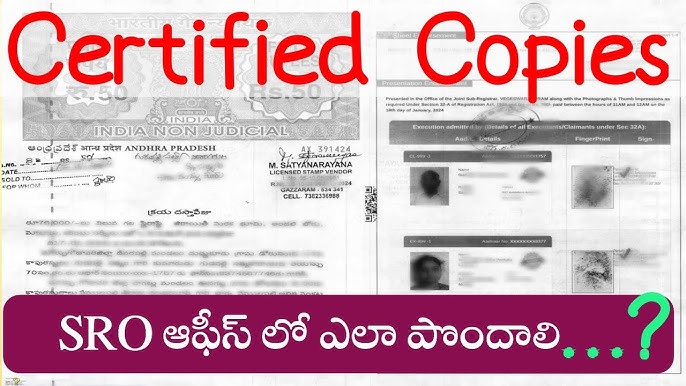
An IGRS AP Certified Copy (commonly known as Online CC) is an officially verified, government-stamped duplicate of a registered property document issued by the Registration and Stamps Department of Andhra Pradesh. When a property transaction takes place—such as a sale deed, gift deed, or mortgage the original copy remains with the property owner while the official record is maintained by the Sub-Registrar Office (SRO) under the Computer-aided Administration of Registration Department (CARD) system.
If the original title deed is lost, damaged, or held securely by a financial institution for a home loan, a Certified Copy acts as a primary legal substitute. It provides full transparency and carries complete legal validity before courts, banks, and municipal authorities during property disputes or verification processes.
Through the integrated digital portals, citizens can search for historic records, view indexed document strings, and apply for a digitally signed certified copy without standing in long queues at local administration hubs.
What You Need Before Requesting a Certified Copy
Ensure you have the following information and documents ready to complete your online search or application swiftly:
- Document Number — The unique registration number assigned to your deed (formatted usually as Document No / Year).
- Year of Registration — The specific calendar year the property transaction was registered at the SRO.
- SRO Name or Code — The specific Sub-Registrar Office where the original layout or deed execution was handled.
- Identity Proof — A scanned copy of Aadhaar Card, PAN Card, or Voter ID if requesting a digitally verified official pull.
- Online Payment Method — Net banking, debit card, or credit card credentials to cover official user charges.
Important Notice: While most records registered after 1999 are completely digitized and downloadable as soft copies, older historical documents may require a “Manual Certified Copy” request that involves manual indexing by SRO personnel before physical collection.
How to Download IGRS AP Certified Copy Online Step-by-Step
Follow this verified application framework to access and print your certified duplicate through official online streams:
Access the Official Portal
Open your web browser and navigate directly to the official MeeSeva AP digital services platform or the integrated registration.ap.gov.in portal. Log in using your verified mobile number or citizen credentials. If you do not have an account, complete your setup via registration forms under two minutes.
Select Certified Copy Service
Navigate to the active “Online Services” menu block. Look closely for the option labeled Certified Copy of Registration Document or Online CC housed under the Registration & Stamps Department category list.
Enter Document Details
Provide the exact registered Document Number, select the specific Registration Year from the dropdown list, and choose the correct Sub-Registrar Office (SRO) that manages your property district jurisdiction. Cross-check your entries to prevent lookup validation timeouts.
Clear Application Fee
The portal layout automatically populates the required user charges and search fees based on your document length. Complete the nominal payment securely via debit card, UPI, or net banking channels and preserve your reference transaction receipt.
Download Digitally Signed CC
Once authorized by department servers, check your profile dashboard for the generated request. Click the “Download Certified Copy” link to fetch your legal PDF containing integrated digital signatures and verified barcodes.
Common Certified Copy Online Pitfalls & Solutions
This occurs typically if you type an incorrect SRO office code or mix up the registration year with your purchase agreement date. Re-verify the margin stamps on your title papers. For any registration dating before 1999, shift your search style from electronic download to a Manual CC application submission at the physical SRO location.
If funds are debited but status shows pending, do not initiate a fresh transaction immediately. Wait for roughly 2 hours for the banking gateways to clear data syncs. Check your dashboard ledger under your payment reference history to see if the status automatically changes to authorized.
Sometimes standard browser internal viewers hide the security certificate layers. Open the downloaded copy inside official desktop PDF programs such as Adobe Acrobat Reader to validate the digital stamp from the Sub-Registrar.
📚 Related Guides You May Find Helpful
- EC Online AP 2026 — View complete transaction history details for your property before filing your copy queries.
- IGRS AP Slot Booking 2026 — Reserve appointments smoothly for updated physical document execution or rectifications.
- IGRS AP Login 2026 — Access all premium dashboard applications using your centralized citizen profiles.
- IGRS AP Stamp Duty 2026 — Analyze current calculation rates for registration processing fees across regions.
Frequently Asked Questions
Summary
Securing your IGRS AP Certified Copy (CC) online has simplified asset management across Andhra Pradesh. By leveraging either MeeSeva or the centralized department databases, property handlers can pull digital title mirrors instantly. Keep your exact Document Number, year stamp, and localized SRO names ready before launching your transaction queries. For any complex operational lookup failure or transactional queries, dial into the official technical support channels to resolve record tracking quickly.