100% Free Search
Instant Pahani
Mobile Friendly
No MeeSeva Needed
Property owners, buyers, and investors in Andhra Pradesh frequently verify official land ownership records before purchasing real estate or executing long-term lease agreements. Checking the AP Adangal online (commonly referred to as the Pahani statement) via the digital MeeBhoomi portal guarantees access to real-time, government-certified land details. This verification acts as a primary safety measure before checking your structural title status or running an Encumbrance Certificate (EC) evaluation query.
Required Input Parameters for Webland AP Search
| Search Parameter | Source Verification Document | Selection Layout Format |
|---|---|---|
| District & Mandal Name | Pattadar Passbook / Registered Sale Deed | Sequential Dropdown Menu |
| Revenue Village Name | Local Village Revenue Map Logs | Sequential Dropdown Menu |
| Survey Number | Sub-division Records / Title Deed | Manual Alphanumeric Form Input |
| Khata / Account Number | E-Pattadar Passbook Statement | Manual Numeric Form Input |
Key Information Tracked inside an AP Pahani Statement
Running a comprehensive meebhoomi ap adangal search extracts authentic ledger data directly from the computerized Webland AP database. The system outputs several specific tracking layers related to your real estate asset:
- ✓ Actual Landlord Identity (Pattadar names & structural lineage records).
- ✓ Total geographical area calculation including sub-division plots.
- ✓ Exact nature of the property (Inam lands, Government owned, Assignable, or Private).
- ✓ Agricultural crop history metrics, irrigation sources, and soil classification.
- ✓ Hypothecations, pending crop loans, bank liabilities, or legal injunction warnings.
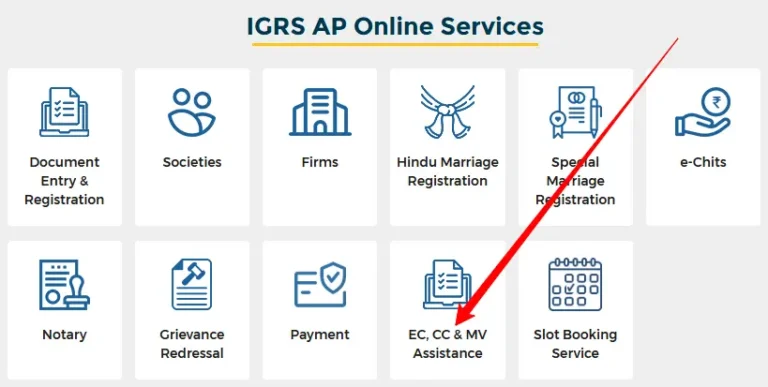
Need to verify property transaction logs?
Learn how to easily check if a land parcel has hidden commercial disputes or open bank mortgages instantly.
👉 Click Here to Download IGRS AP Encumbrance Certificate Online
Step-by-Step Guide for AP Adangal Online Download
Follow these exact digital navigation procedures to download your public land records ledger instantly:
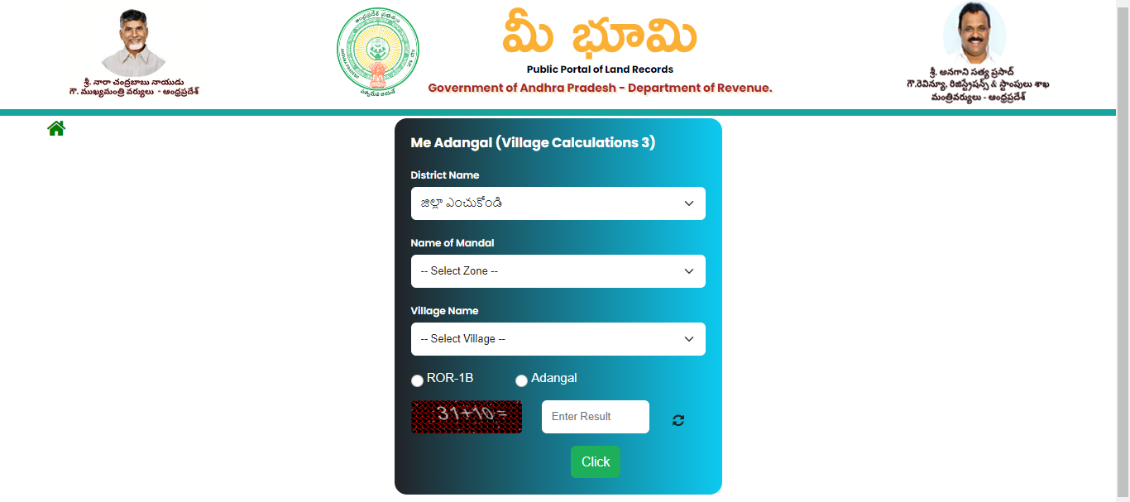
Navigate to the MeeBhoomi Gateway
Launch a secure web browser and access the centralized land database system managed by the Revenue Department of Andhra Pradesh.
Open the Adangal Dashboard Module
Locate the main horizontal header menu. Click on the Your Adangal or Village Adangal selection filter cards to switch your dashboard layout view.
Enter Spatial Hierarchy Information
Select your property location sequentially from the dropdown elements. Pick your District first, populate your Mandal block, and then select the matching Revenue Village.
Execute Alphanumeric Form Queries
Toggle your search type parameter using either your Survey Number, Khata/Account Number, or Aadhaar identity data. Input the precise numeric syntax coordinates.
Solve Captcha and Generate PDF Record
Enter the security cryptographic captcha characters shown in the form layout. Click the Submit action switch to render your land logs. Hit the print icon to instantly extract a clean PDF document copy.
Critical Troubleshooting Tips for Land Record Portal Searches
Always cross-reference sub-division layouts. If an online search yields empty pages, verify if your survey format requires localized fractional syntaxes like 45-A or 45/1 matching your sale deeds.
If the secondary Mandal or Village forms fail to switch values automatically, clear your browser’s background cache storage logs or shift your session window into Incognito mode.
Frequently Asked Questions (FAQs)
Summary Statement
Verifying structural ownership maps via official portal routes ensures absolute transparency in asset trading. Tracking down your survey alignments beforehand simplifies checking your Encumbrance Certificate summaries and clearing real estate property titles without bureaucratic delays.
[…] AP Adangal / ROR — View land passbook, crop details, and record of rights for agricultural land in AP. Full Adangal guide here. […]