Completely Free
Instant Results
Works on Mobile
No Office Visit
Property buyers and owners in Andhra Pradesh frequently need to verify historical land transactions to confirm clear titles. Performing an official EC download Andhra Pradesh via the IGRS portal ensures that a property is unencumbered and free from active financial liabilities. The Registration and Stamps Department provides a public portal at registration.ap.gov.in where citizens can run an instant search using specific property identifiers.
Required IGRS AP EC Download Parameters
| Search Parameter | Required Document Source | Selection Format |
|---|---|---|
| District Name | Original Sale Deed / Title Records | Dropdown Selection |
| Mandal Name | Revenue Land Documents | Dropdown Selection |
| Village / Ward | Property Tax Receipt / Patta | Dropdown Selection |
| Survey Number | Sub-Division Records / Adangal | Manual Numeric Input |
What is Recorded in an Andhra Pradesh Encumbrance Certificate?
An encumbrance certificate acts as a ledger of a property’s transaction timeline. When you run an online ec search ap query, the system extracts data from the computerized registration indexes matching your survey number. The generated document highlights several property tracking logs:
- ✓Absolute sales deeds and ownership transfer dates.
- ✓Gift deeds, family partitions, and settlement agreements.
- ✓Active bank mortgages and property loan hypothecations.
- ✓Court attachment notifications or ongoing legal restriction orders.
- ✓Discharge and release deeds indicating cleared liabilities.
Step by Step Guide for EC Download Andhra Pradesh
Follow these precise steps on the official IGRS AP portal to access your property search transaction statement:
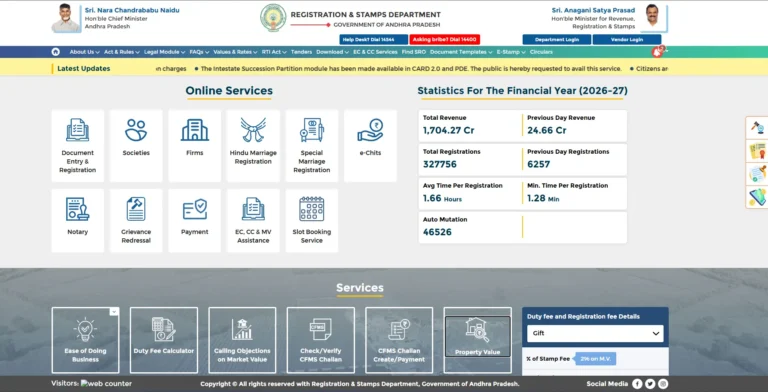
Visit the Government Registration Portal
Navigate directly to registration.ap.gov.in using a secure browser. This is the centralized platform managed by the Government of Andhra Pradesh for all property verification services.
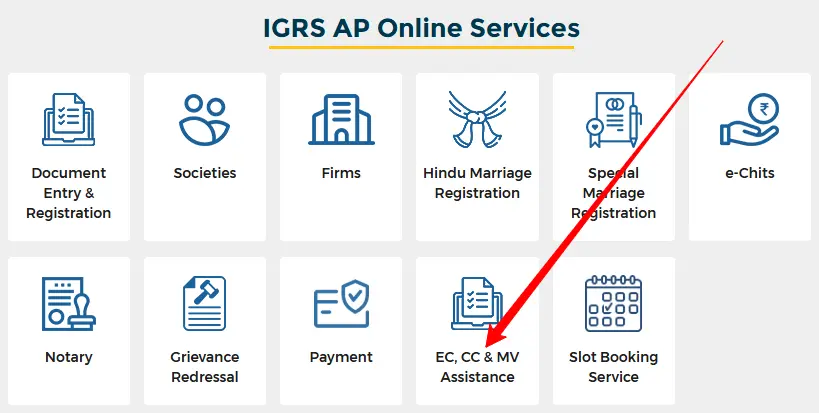
Open the EC and CC Landing Section
Locate the main service dashboard on the homepage. Click on the EC and CC Services tab in the navigation menu to change your dashboard view to the application landing page.
Choose the Information Only Card
The portal displays separate pathways for certified and information copies. Click on the card labeled EC For Information Only to bypass account creation and start a free search.
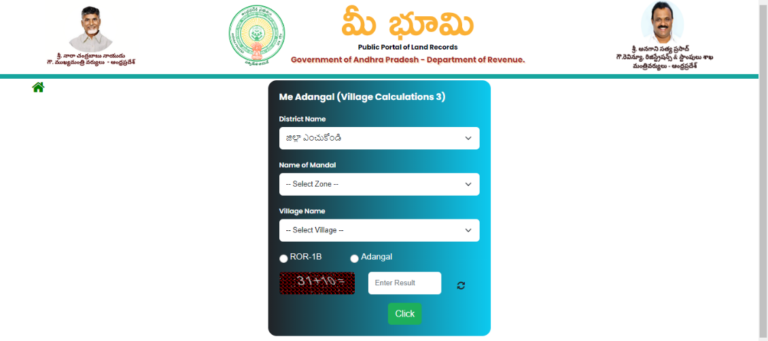
Define the Spatial Hierarchy
Use the cascading dropdown elements to narrow down your property location. Select your District first, followed by the Mandal, and then choose the specific Revenue Village or Ward where the land is physically situated.
Input the Survey and Sub-Division Number
Type the exact survey number into the designated form element. Avoid adding extra symbols, alphabetical characters, or spaces unless they are explicitly recorded on your structural title documents.
Define the Search Period and Submit
Enter the From Year and To Year parameters. To ensure absolute compliance and catch historical liabilities, standard practices recommend checking records back to January 1, 1983. Enter the displayed secure captcha code and hit the Submit button.
Print and Save the PDF Statement
Review the transaction rows generated on the page layout. Click the Print icon located at the bottom of the dashboard view to generate a clean PDF output file. Save it directly to your storage disk.
Critical Troubleshooting Tips for IGRS AP Portal
Always pick your location options sequentially from top to bottom. Selecting a village before defining the district will cause the cascading dropdown scripts to break.
If an online ec AP search returns empty results, cross-verify the survey split-number formatting. For older records registered prior to 1983, a physical application at the respective Sub-Registrar Office remains mandatory.
The PDF certificate opens via an independent browser window script. Ensure that your desktop or mobile browser allows popups specifically for the registration.ap.gov.in domain block.
Frequently Asked Questions
Summary Statement
Verifying records via the official IGRS AP website remains the most transparent method to clear real estate assets. The open database helps reduce the risks of disputed property agreements, making it easy to fetch legal reference outputs without administrative friction. For operational queries, connect with the helpdesk channel directly.
[…] 👉 Click Here to Download IGRS AP Encumbrance Certificate Online […]
[…] EC Download Andhra Pradesh — Step by step guide to download digitally signed EC from IGRS AP. […]
[…] EC Download Andhra Pradesh — Download digitally signed EC from IGRS AP after login. […]
[…] Signed EC Download — Download a digitally signed Encumbrance Certificate accepted by banks, courts, and financial institutions. Full download guide here. […]